
Your Orange plan still shows available gigabytes, but you’re not exactly sure where you stand. Tracking your mobile internet usage helps avoid unpleasant surprises, especially when reduced speed kicks in as soon as your data allowance is exhausted. Several tools allow you to check your usage in just a few seconds, even without an active internet connection.
Lag in Orange consumption tracking: what the display doesn’t show right away
Before even choosing a method of consultation, one point deserves your attention. The data displayed in the Orange tools does not reflect your usage to the exact second. There may be a lag of a few hours between your actual usage and what appears on the screen.
Specifically, if you are watching a long streaming video or sharing your connection via tethering, the counter does not update instantly. You might think you have several gigabytes left when your allowance is almost empty.
Check your usage before heavy use, not during. This simple habit helps avoid falling into reduced speed without warning. Ideally, check your usage in the morning before launching data-hungry applications.
Several subscribers who wish to check their Orange internet usage discover this lag afterward. Being aware of it changes how one interprets the displayed numbers.

Orange and Me app: mobile usage tracking in almost real-time
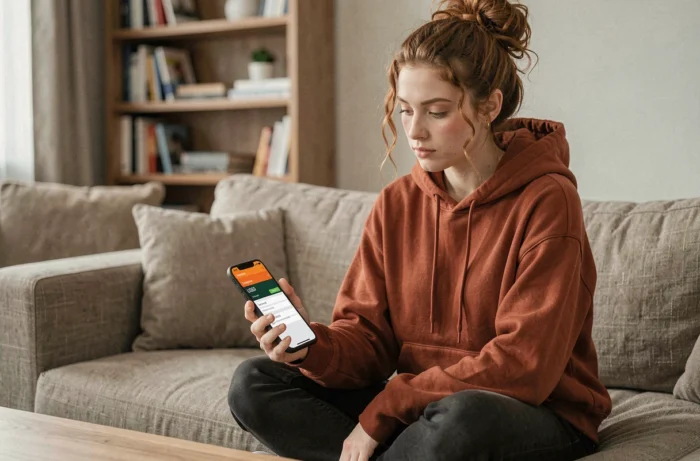
The Orange and Me app remains the most straightforward method. Once logged in with your Orange ID, the usage tracking section displays your mobile internet consumption, calls, and SMS for the current period.
What you see in the app
The main screen shows a gauge of your data allowance. You can quickly see how many gigabytes you have left and the renewal date of your plan.
- Volume of internet data consumed and remaining on your mobile line
- Details of calls and SMS if your plan has a cap on these usages
- History of consumption for previous periods to compare your habits
Customizable alerts to avoid exceeding limits
The app allows you to set up automatic usage alerts. You receive a notification when you reach a threshold you’ve defined, for example, at 80% of your data allowance.
This feature transforms a consultation tool into a prevention tool. Instead of checking manually every day, the app alerts you at the right moment. For plans with reduced speed after total consumption, it’s a valuable safety net.
Orange customer area on the web: consultation from a mobile browser
Don’t want to install an additional app? The customer area accessible from a mobile browser serves the same function. Go to your customer area, log in, and then access the usage tracking section.
The web version displays the same information as the app. You’ll find your mobile internet consumption, details of your purchases, and the status of your plan. Navigation is optimized for smartphone screens.
Have you noticed that this method also works over Wi-Fi? If your data allowance is exhausted and your mobile speed is reduced, you can connect via Wi-Fi to check your usage from the browser. This is a tangible advantage compared to the app, which may struggle to load on reduced speed.
Call 740: check your Orange usage without any internet connection
This method is the least known yet the most useful when you have no data left. The voice server 740 is a free number, accessible from your Orange mobile, that works without any internet connection.
You dial 740, follow the voice instructions, and the server provides you with the status of your consumption. The service is available 24 hours a day, 7 days a week.
Why is this method worth knowing? Imagine you are on the go, without Wi-Fi, with an exhausted data allowance. It’s impossible to load the Orange and Me app or the web customer area. The 740 remains your only access to usage tracking.
- Free from an Orange mobile line
- Works without data or Wi-Fi, only via the voice network
- Accessible even at night or on weekends thanks to full automation
- Provides the status of your internet, calls, and SMS plan
For users who consume a lot of data at the end of the month, the 740 is a safety net when all online tools become inaccessible.
Native Android and iOS settings: a complementary counter
Your smartphone also includes a mobile data counter in its settings. On Android, it’s found under Settings then Network and Internet. On iOS, under Settings then Cellular Data.
This counter measures the total volume of data exchanged since its last reset. It does not know your Orange plan; it does not know how many gigabytes are included in your offer. Its utility is different: it details consumption by application.
This way, you can identify which applications consume the most. A video streaming app, a cloud service, or a social network on autoplay can account for the majority of your monthly consumption. This diagnosis allows you to adjust your habits or restrict data access for certain background applications.
The native counter and the Orange usage tracking complement each other. One tells you where you stand in relation to your plan, the other shows you who is consuming your gigabytes.
Each method has its context of use. The Orange and Me app is suitable for daily tracking with alerts. The web customer area takes over when speed is reduced but Wi-Fi is available. The 740 works without any connection. And the phone settings identify the most data-hungry applications. Combining two of these tools covers almost all situations.